Showing posts with label kaspersky. Show all posts
Showing posts with label kaspersky. Show all posts
Monday, May 9, 2011

Sunday, April 24, 2011
Kaspersky Open Space Security Suite 2011 (Incl. Keys)
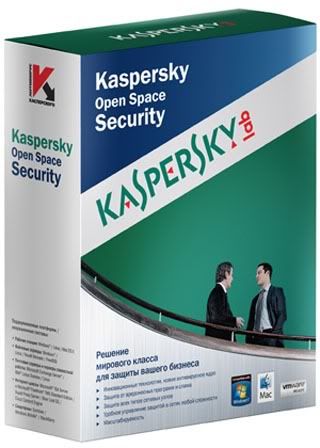
Kaspersky Open Space Security Suite 2011 (Incl. Keys) | 108Mb
ကက္စပါမွကက္စပါဆိုသူေတြအတြက္ပါေအာက္မွာအသံုးျပဳနည္းစာအုပ္ကို
ျမန္မာလိုပံုေတြနဲ ့ရွင္းျပထားပါတယ္။အရင္ဖတ္ျပီးမွအသံုးျပဳႀကပါအြန္လိုင္းမွာ။
စာေသခ်ာမဖတ္ႀကဘဲလာလာေအာ္ေနႀကလို ့ပါ။
အဆင္ေျပႀကပါေစဗ်ာ။
Kaspersky Anti Virusအသံုးျပဳနည္းစာအုပ္(၁)ေဒါင္းရန္ႏွိပ္ပါ။
Kaspersky Anti Virusအသံုးျပဳနည္းစာအုပ္(၂)ေဒါင္းရန္ႏွိပ္ပါ
Sunday, January 2, 2011
Kaspersky Internet Security (2011) 11.0.1.400
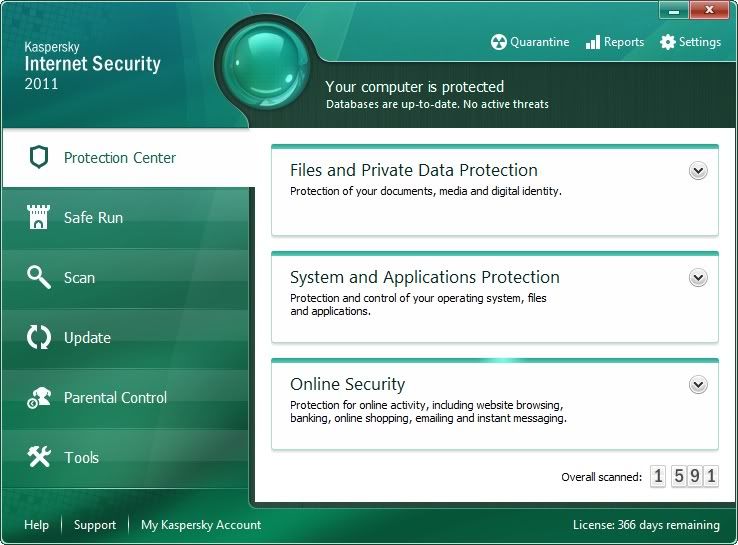
Kaspersky Internet Security (2011) 11.0.1.400 | 104.20 MB
ႏွစ္သက္သူေတြအတြက္ပါ။
Kaspersky Internet Security 2011 - a new step in protecting your computer. The new product line will be a lot of innovations. What's The product will be requested from the KSN information about the application (including policy HIPS), including WoC (Wisdom of the Crowd) The product will be reported to the user: - Path - General information - Status protection - The date you receive this application at the first of the participants (WoC) - Number of participants KSN, who have this application (WoC) - Distribution of applications by groups of trust among participants KSN (WoC) - Geographical distribution of applications by members KSN (WoC) Kaspersky Gadget The product will be displayed in the gadget protection status, active checking, updating Gadget allows you to: - Run the product, if he is not running - Get access to the main window - Run the ODS for the selected object (file, folder, disk), which can drag on the gadget - Read the news News Agent (go to news) - Get access to Safe Desktop Parental controls will be similar to RK in Pure Added: - Control of games (age rating) - Monitoring the use of p2p - Checking e-mail correspondence - Monitoring the use of social networking - Category Sites credit card payment The new Rescue Disc 10 - Now it will check the authenticity of the disc - Product will update the database if they are not relevant - The product will be able to record RD on CD / DVD - The product will be able to record RD on a USB-media - Rescue Disk will treat not only the files on the disk, but all the startup items: registry, startup folder, ini-files, etc. Green Zone - Safe Desktop - Alternative workbench user Green Zone of Internet Categories of Internet resources: - Red - Reputation Service LC resource is known as a dangerous - Grey - reputation services LC does not have data about the resource, or not enough - Green - secure resource Geo Security - product may block the circulation to resources in some regions (if the user believes that the visit of resources in this region is not desirable) SandBox will share the software on browsers and other 
Monday, October 4, 2010
Kaspersky 2010 + 20 June 2010 Keys All versions

Kaspersky 2010 + 20 June 2010 Keys All versions English | For Windows | 67 MB
Kaspersky Internet Security 2010 9.0.0.736 + Kaspersky Anti-Virus v 9.0.0.736 [FINAL] [XP/Vista/Windows 7] with Activation Key and Application Settings
Features:
Fully Automated Real-Time Protection
Kaspersky Internet Security/Anti-Virus stops your PC being slowed down by cybercriminals and delivers unsurpassed on-line safety whilst protecting your files, music and photos from hackers:
* Keeps your money and identity safe
* Protects against bank *** fraud
* Safeguards against online shopping threats
* Cybercriminals won't hi-jack your PC
* Family protection from on-line predators
* Your files won't be ruined by hackers
* Keeps your PC running smoothly
* Safer Wi-Fi connections
* Two way personal firewall
Tuesday, August 3, 2010
Kaspersky Anti Virus 2011 11 0 0 232 Final
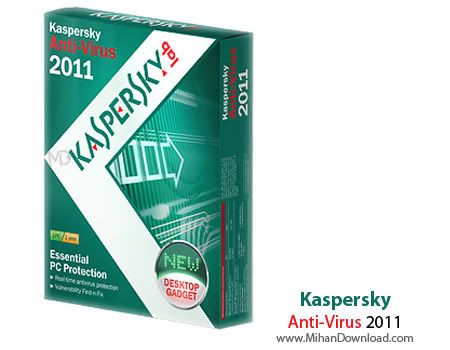
Kaspersky Anti Virus 2011 >>>101Mb
ဖိုင္ဆိုဒ္ေတာ့နည္းနည္းႀကီးတယ္ေနာ္ကၽႊန္ေတာ္ေတာင္ရေအာင္တင္ေပးထားတယ္ေနာ္။
ရေအာင္ေဒါင္းလုပ္ဆြဲဗ်ာ။
Kaspersky Anti Virus ကိုႏွစ္သက္သူမ်ားအတြက္ပါ။သူ ့ရဲ့ခရက္ကီးပါတစ္ခါထဲထည့္ေပးလိုက္ပါတယ္။
ေနာက္ကီးေတြဘယ္လိုထည့္ရမယ္။ဘယ္လိုသံုးရမယ္ဆိုတာဆရာဇူလူးရွင္းျပထားတဲ့စာအုပ္ႏွစ္
အုပ္ပါတင္ေပးလိုက္ပါတယ္။သူေသေသခ်ာခ်ာပံုနဲ ့တကြရွင္းျပထားပါတယ္။စာအုပ္ကိုအရင္
ေဒါင္းလုပ္ခ်။ျပီးရင္ေသခ်ာဖတ္ျပီးလုပ္ႀကည့္ပါလို ့တိုက္တြန္းပါတယ္။မလုပ္တတ္ေသးသူမ်ားအတြက္ပါ။
အဲ့မလုပ္တတ္ရင္လည္းဘာမွမပူပါနဲ ့။အဲ့စာအုပ္ထဲမွာကၽႊန္ေတာ့္ဆရာဇူလူးရဲ့ဂ်ီေမးလ္ေလးပါပါတယ္
သိလားဘာမွမပူနဲ ့မလုပ္တတ္ရင္လည္းအလြယ္ေလးသူကိုဂ်ီေတာ့ခ္မွာအပ္ျပီးေမးလိုက္ရံုေပါ့
ဟုတ္ဘူးလားအလြယ္ေလးရယ္။ကၽႊန္ေတာ့္ေတာ့လာမေမးနဲ ့ေနာ္တကယ္မသိဘူး။
သူေရးထားတာဆိုေတာ့သူ ့သာေမးလိုက္ပါ။အဆင္ေျပမွာပါဟုတ္ဘူးလား။
Kaspersky Anti Virusအသံုးျပဳနည္းစာအုပ္(၁)ေဒါင္းရန္ႏွိပ္ပါ။
Kaspersky Anti Virusအသံုးျပဳနည္းစာအုပ္(၂)ေဒါင္းရန္ႏွိပ္ပါ
Kaspersky Anti Virus2011 11 0 0 232 Finalရယူရန္ေအာက္မွေဒါင္းလုပ္ပံုကိုႏွိပ္ပါ
.
Friday, March 12, 2010
Kaspersky Internet Sercurity 8.0.0.506 & Keys 2009-2011


(1)Install andquot;Kaspersky Internet Security 2009andquot;
(2)Choose A Key From KIS_8,KIS_7,KAV_8,KAV7(Choose KIS_8 for Kaspersky Internet Security 2009).
(3)Copy The Key And Paste It On Your Desktop (Or Where Ever You Want)
(4)Open Kaspersky And Click: License andgt; Merge/
delete andgt; andquot;Delete Keyandquot; [If You Already
Have A Key Installed] andgt; Activate Using The Key File andgt; Browse [Browse For Your
Key - If You Followed These Instructions It Should Be Located On Your Desktop]
Activate
(5)Enjoy!
Size....5.47Mb
Thursday, March 4, 2010
Thursday, February 25, 2010
ကပ္စပါးစကီး Blacklist မျဖစ္ေအာင္ (whitelister)
ကပ္စပါးစကီးသံုးခ်င္ေနတဲ့သူေတြအတြက္ ဆရာဇူလူးရွင္းျပထားတဲ့ ကပ္စပါးစကီး
အသံုးခ်နည္းကိုတင္ေပးလိုက္ပါတယ္။
ဒါေလးကိုေတာ့အရင္ေဒါင္းလိုက္ပါေနာ္ SIZE (4.29 MB)
ကပ္စပါးစကီးက ခဏခဏ blacklist ျဖစ္ေလ့ရွိပါတယ္။ အဲသလိုမျဖစ္ရေအာင္ whitelister က ကူညီပါလိမ့္မယ္။
လုပ္ေဆာင္ရန္ အဆင့္မ်ား …
၁။ ကပ္စပါးစကီးကို ဖြင့္ပါ။

၂။ ဆက္တင္ (Setting) ကို ဖြင့္ပါ။

၃။ Service ကိုဖြင့္ၿပီး Enable Self-Defense ကို uncheck လုပ္ပါ။ Apply & Ok လုပ္ပါ။

၄။ လက္ရွိ အင္စေတာထားတဲ့ လုိင္စင္ကီး ရွိရင္ Delete Key လုပ္ပါ။

၅။ ကပ္စပါးစကီးကို Exit လုပ္ပါ။

Path ကို ဖြင့္ပါ။
Clean ကို ကလစ္ပါ။
Kaspersky Internet security or Kaspersky Antivirus ကို ကလစ္ပါ။ (ကိုယ့္စက္မွာ ထည့္သြင္းထားတဲ့ အမ်ိဳးအစားေပၚ မူတည္ပါတယ္။)
Exit လုပ္ပါ။

၈။ လိုင္စင္ကီးတခု ထည့္သြင္းပါ။
၉။ Enable Self-Defense ကို Check ျပန္လုပ္ပါ။
ဒီအဆင့္ေတြအားလံုး မွန္မွန္ကန္ကန္ လုပ္ေဆာင္ခဲ့မယ္ဆိုရင္ ကပ္စပါးစကီး Blacklist မျဖစ္ေတာ့ပါဘူး။
အဆင္မေျပတာရွိရင္ ျပန္ေမးပါေနာ္။
Kaspersky key already update key
ကိုမင္းထိုက္ေက်ာ္ ေတာင္းဆိုလို ့တင္ေပးလိုက္ပါတယ္ဗ်ာ
အဆင္ေျပႀကပါေစ။

The Instructions For Activating Kaspersky 2010
http://www.4shared.com/file/116316811/9274d55a/KIS_2010.html
| Text File SIZE 1 KB | |
The Newest Key of Kaspersky Internet Security
| Program SIZE 87 KB | |
Download the Newest key of Kaspersky Anti-Virus
http://www.4shared.com/file/129962768/4baba32f/KAV89.htmlhttp://www.4shared.com/file/129962768/4baba32f/KAV89.html
| Program SIZE 87 KB | |||||
Download Kaspersky Mobile Security 8
| ZIP File SIZE 855 KB | |||||
Notice: You have to Delete The Old key And Then Apply the New one.
Subscribe to:
Posts (Atom)